An address label is a printed or handwritten label that displays delivery information for a letter, package, parcel, or personal item. It helps postal services, courier companies, businesses, and recipients quickly identify where an item should be delivered.
A well-designed address label typically includes the recipient’s name and complete mailing address. Depending on the purpose, it may also include a sender or return address, phone number, tracking information, or other useful delivery details. For businesses, a professional label can also create a consistent and organized appearance across outgoing shipments.
Whether you are mailing a personal letter, shipping customer orders, organizing packages, or labeling luggage, using a clear address label can reduce mistakes and make the delivery process more efficient.
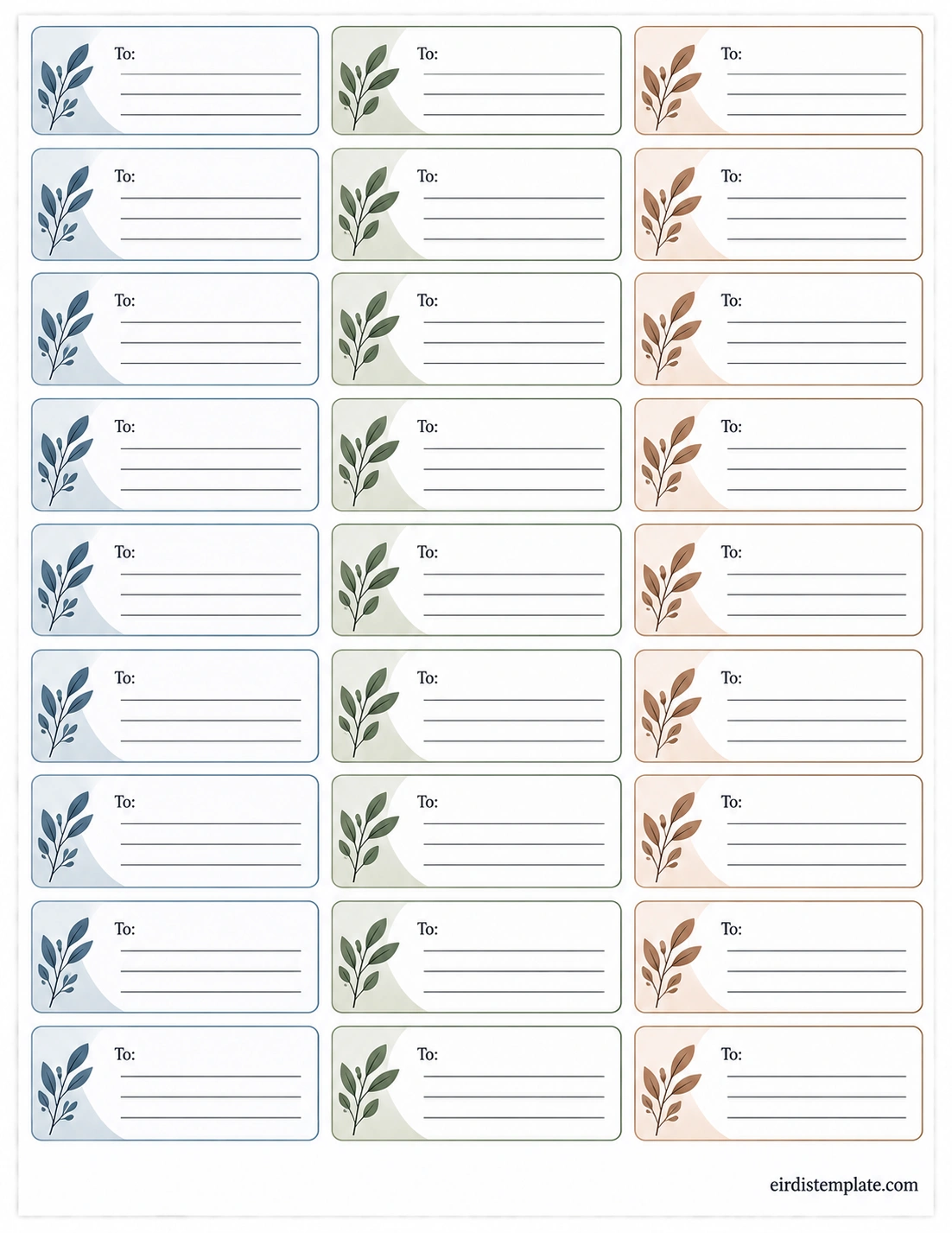
What Is an Address Label?
An address label is a label attached to a mail item or package to identify its intended destination. It provides the information needed to help postal workers and delivery services route the item correctly.
Instead of writing an address directly on an envelope or box, you can use a separate label that is easy to print, read, attach, and replace. Address labels are especially useful when sending multiple items because they make the addressing process faster and more consistent.
An address label can be used for:
- Letters and envelopes
- Packages and parcels
- Business shipments
- Customer orders
- Return packages
- Moving and relocation mail
- Luggage and travel bags
- Personal storage containers
- Documents and folders
Why Is an Address Label Important?
A clear address label does more than display a mailing address. It helps make delivery information easier to identify and reduces the possibility of errors caused by unclear handwriting, missing information, or poorly organized shipping details.
Helps Ensure Accurate Delivery
The primary purpose of an address label is to clearly identify the intended recipient and destination. A readable label gives delivery personnel the information they need to route a letter or package.
Saves Time
Printing address labels can be significantly faster than writing individual addresses by hand, especially when sending multiple packages. A reusable address label template can make the process even more efficient.
Reduces Human Error
Typing addresses into a template allows you to review the information before printing. This can help reduce mistakes involving names, street addresses, apartment numbers, cities, states, or ZIP codes.
Creates a Professional Appearance
For businesses, consistent shipping labels can make outgoing packages look more organized and professional. A simple branded design can also help customers recognize the sender immediately.
What Information Should an Address Label Include?
The information required depends on what you are sending and the delivery service being used. However, most standard address labels include several basic fields.
Recipient Name
The recipient’s full name should be easy to identify. For business deliveries, you may also include the company name, department, or attention line when necessary.
Street Address
Include the complete street address, including the house or building number and street name. If applicable, add an apartment, suite, unit, floor, or building number.
City, State, and ZIP Code
For U.S. addresses, the city, state abbreviation, and ZIP code are important parts of the mailing address. Make sure these details are accurate and formatted consistently.
Country
International shipments generally require the destination country to be included on the label. Follow the postal or courier service’s requirements for international addressing.
Return Address
A return address identifies where the item should be sent if it cannot be delivered. It is particularly useful for packages, business shipments, and important correspondence.
Basic Address Label Format
A simple address label does not need to be complicated. The most important goal is readability and accurate information.
A basic recipient address can be arranged in this order:
- Recipient Name
- Street Address
- Apartment, Suite, or Unit, if applicable
- City, State ZIP Code
- Country, when required
For business shipping, additional information can be included when useful, such as a company name, department, order number, or internal reference. However, unnecessary information should not make the primary delivery address difficult to read.
Types of Address Labels
Different situations may require different types of address labels. Choosing the appropriate format can make your mailing and organization process easier.
Mailing Address Labels
Mailing address labels are commonly used on envelopes, letters, invitations, and other correspondence. They usually focus on the recipient’s name and mailing address.
Shipping Address Labels
Shipping labels are designed for packages and parcels. They may contain recipient information along with sender details, tracking information, barcodes, service information, or other shipping data required by a carrier.
Return Address Labels
Return address labels display the sender’s information. They are useful for personal correspondence and business mail because they provide a clear destination if an item cannot be delivered.
Business Address Labels
Businesses can use address labels for invoices, customer orders, promotional mail, documents, and shipments. Consistent formatting can help create a more organized fulfillment process.
Personal Item Labels
Address labels can also be used on luggage, storage containers, school supplies, equipment, and other personal belongings. In these situations, you can include contact information that is appropriate for the item and its intended use.
How to Create an Address Label
Creating an address label is straightforward when you organize the required information before printing.
1. Determine the Purpose
First, decide whether the label is for an envelope, package, business shipment, return mail, luggage, or another item. The purpose determines which information should be included.
2. Gather Accurate Information
Collect the recipient’s name and complete address. Check spelling, street numbers, apartment or unit numbers, city names, state abbreviations, and ZIP codes before creating the final label.
3. Choose a Suitable Layout
Select a layout that provides enough space for the complete address while remaining easy to read. Avoid decorative elements that compete with important delivery information.
4. Enter the Address
Type the information into your address label template. If you are creating multiple labels, use the same format for each one to maintain consistency.
5. Review Before Printing
Carefully check every address before printing. A small typing error can cause delays or prevent successful delivery.
6. Print and Attach the Label
Print the completed labels on suitable adhesive label sheets or regular paper, depending on your preferred application method. Attach the label securely to a clean, flat surface where the address remains visible.
Tips for Making an Effective Address Label
A good address label should prioritize clarity over decoration. The following practices can help create labels that are easier to read and use.
- Use a readable font: Choose a simple typeface and an appropriate font size.
- Keep strong contrast: Dark text on a light background is generally easy to read.
- Use sufficient spacing: Give each line enough room so information does not appear crowded.
- Check the address carefully: Verify every important detail before printing.
- Keep the recipient information prominent: The delivery address should be easy to identify.
- Avoid excessive decoration: Decorative elements should never interfere with the address.
- Use consistent formatting: A standardized format makes multiple labels easier to process.
- Test your printer: When printing a large batch, test one sheet first to confirm alignment.
Address Labels for Businesses
Businesses that regularly send mail or packages can benefit from a standardized address label system. Instead of creating every label from scratch, a company can maintain a consistent template for outgoing shipments.
A business address label may include the company name, return address, recipient information, department, order reference, or other relevant details. Depending on the shipping process, additional carrier information may also be required.
Standardized labels can help businesses:
- Process outgoing orders more efficiently
- Maintain consistent formatting
- Reduce manual addressing work
- Improve package organization
- Create a more professional customer experience
- Reduce errors when processing multiple shipments
Address Label vs. Shipping Label
Although the terms are sometimes used interchangeably, an address label and a shipping label are not always the same thing.
An address label primarily identifies where an item should be delivered. It can be as simple as a recipient name and mailing address.
A shipping label is generally designed specifically for package delivery and may contain additional information such as tracking numbers, barcodes, service levels, package references, and carrier instructions.
Therefore, a simple address label may be suitable for basic mailing or personal organization, while a carrier-generated shipping label may be required for certain package deliveries.
Common Address Label Mistakes to Avoid
Even a simple label can cause problems when important information is missing or difficult to read. Avoid these common mistakes:
- Leaving out the apartment, suite, or unit number
- Using an incorrect ZIP code
- Entering a misspelled recipient name
- Using an incomplete street address
- Printing text that is too small
- Using low-contrast colors
- Covering important information with tape or another label
- Placing the label on an uneven or dirty surface
- Failing to include a return address when appropriate
- Skipping a final address review before shipping
How an Address Label Template Can Help
An address label template provides a predefined layout for entering mailing information. Instead of designing every label individually, you can start with an existing format and customize the fields you need.
A printable address label template can be especially useful for households, small businesses, event organizers, online sellers, teachers, offices, and anyone who frequently handles mail or packages.
Templates can also make batch printing easier because multiple labels can follow the same structure. This helps maintain consistency while saving time during repetitive mailing tasks.
Frequently Asked Questions About Address Labels
What is an address label used for?
An address label is used to display delivery information on letters, packages, parcels, or personal items. It helps identify the intended recipient and destination clearly.
What should be written on an address label?
A standard address label usually includes the recipient’s name, street address, city, state, and ZIP code. A country may be required for international mail, while a return address can be added when appropriate.
Can I use an address label for packages?
Yes. An address label can identify the recipient and destination of a package. However, some carriers require additional information or a specific shipping label format, so check the carrier’s requirements before sending a package.
Should an address label include a return address?
A return address is useful because it identifies the sender if the item cannot be delivered. Whether it is required depends on the type of mail and the delivery service being used.
Can I print address labels at home?
Yes. You can create and print address labels at home using a printer and suitable label sheets or regular paper. Always check the printer alignment before printing a large batch.
What makes a good address label?
A good address label is accurate, readable, appropriately sized, and easy to identify. Clear typography, sufficient spacing, strong contrast, and correct address information are more important than elaborate decoration.
Conclusion
An address label provides a simple and practical way to organize delivery information for letters, packages, parcels, and personal items. By clearly displaying the recipient’s information and, when appropriate, the sender’s return details, a label can make mailing and fulfillment more organized and efficient.
Whether you are preparing a single letter or processing many business shipments, an address label template can save time and create a consistent format. The most important considerations are accuracy, readability, appropriate formatting, and secure placement on the item.
With a clean printable address label template, you can prepare mailing information quickly while reducing common addressing errors and keeping your mail and packages organized.
Download: Address Label Template

- Free Printable Affidavit Form Template - October 2, 2026
- Printable Adoption Certificate Template - October 2, 2026
- Free Printable Address Label Template - October 2, 2026
